
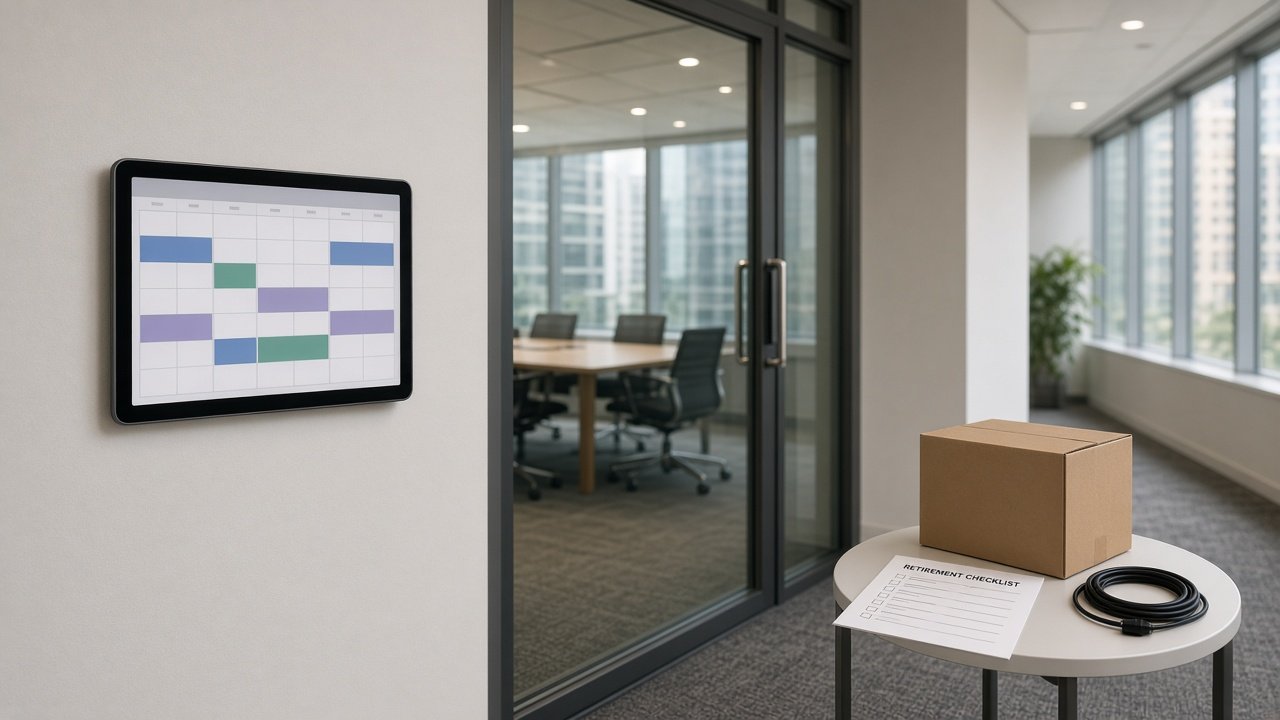
In short: When a Hong Kong office has to retire office room booking panels — the wall tablets or scheduling displays outside meeting rooms, huddle rooms or other bookable spaces — the job is not finished by unscrewing the panel. The device, and more often the room mailbox, booking platform or device-management tenant it is enrolled in, may still hold meeting titles, organiser or attendee names, calendar credentials, network settings, an administrator PIN, or occupancy data. Returning leased units to a vendor, handing landlord- or fit-out-provided panels back with the premises, or sending owned panels for recycling, does not by itself end the organisation’s duty to protect personal data still stored on those systems. Confirm the return rules in writing if the hardware is leased, rented or part of a building or AV fit-out, then clear or unenrol what your policy requires, and keep a record of what was actually done.
This article is general information, not legal advice, and it is not a summary of any particular lease, landlord, serviced-office, AV or room-booking contract. Not every scheduling panel stores useful data locally. Not every panel has a camera, a badge reader or an occupancy sensor. Platforms differ. Check the schedule in front of you, and ask the vendor, landlord or service provider to confirm the return rules in writing, before you factory-reset, unenrol, or recycle a unit that does not belong to you.
Why retiring room-booking panels is not the same as retiring a visitor kiosk or a signage screen
A visitor registration kiosk is used to check visitors in and may hold visitor records. A lobby or branch digital signage screen plays a promotional or information loop, usually from a content-management system. A video-conferencing bar, camera or codec sits inside the room and handles the call. An attendance machine records staff clock-ins. Those jobs are easy to mix up when a Hong Kong office is packing meeting-room equipment into the same lift. They are not the same job.
This guide is about office room-booking and meeting-room scheduling panels: the tablet or small display at the door that shows whether a room is free, the current or next meeting, and often lets staff book, extend or release a slot. It is written for overseas headquarters and regional IT or compliance teams retiring this hardware in a Hong Kong office, including a floor that is moving, a branch that is closing, or a landlord or serviced-office fit-out being handed back.
We already publish separate English guides on retiring office digital signage and media players in Hong Kong, on retiring office IP phones, and on retiring office Wi-Fi access points. None of those pages is a substitute for a room-booking panel retirement. This page is also not a recycling article about in-room video-conferencing equipment, ordinary computer monitors, interactive whiteboards, attendance machines, office routers or network switches, and it does not target those searches. A collection from a Hong Kong office may include more than one of those items in the same van; that does not make this page a guide to them.
For a wider move, see our page on office relocation and computer disposal in Hong Kong. For how an overseas headquarters arranges the work, see Hong Kong ITAD for overseas companies.
The panel is often not the main store
A room-booking panel is a client of a booking system, not only a tablet on a wall. The unit you see beside the meeting-room door may be a purpose-built scheduling display, a commercial tablet in a wall dock, or a small all-in-one panel supplied with a room system. The part that actually holds the diary, the room account and the credentials is often somewhere else. It helps to distinguish, up front, what is local and what is not:
- Local storage on the panel. Some units keep a cache of today’s or this week’s meetings, a room name, wireless profiles, certificates, an administrator PIN and short logs on internal flash. Others hold very little once unplugged, because they draw the diary from a server or a calendar tenant each time they start.
- Removable media left with the unit. This is less common than with digital signage, but a USB stick, SD card or configuration dongle is still sometimes used for a first-time setup or a local backup. It is easy to leave it in a dock or a cable bag when the panel comes off the wall.
- The booking platform, room mailbox or calendar resource. Meeting titles, organisers, attendees, permissions and historical bookings usually live in a calendar tenant, a room mailbox, or a vendor booking cloud, not only on the hardware you can pick up. Removing the panel does not automatically close the room account or delete those records.
- A device-management or room-system enrolment. Many panels are signed in as a room account, or enrolled in a device-management, certificate or vendor-cloud service. Unplugging the display does not automatically unenrol it. The tenant may still list a live panel at a former Hong Kong floor.
Do not invent a single picture of “what a room-booking panel always stores.” A simple display that only mirrors a room calendar may hold almost no useful local files, while the tenant still lists the room, the device and recent meetings. A panel that works offline, or that caches a week of appointments, may still hold names and titles after it has left the wall. The retirement work has to follow the actual system, not a generic assumption.
What may still be stored — and what often is not
Before anyone resets a panel, walk the actual installation and the dashboard or admin console behind it. The list below is a prompt for that review, not a claim that every unit contains every item.
- Meeting titles, organiser names and attendee lists. These may appear on the screen and, on some models, remain in a local cache. A title such as a generic internal review may contain no personal data. A title that includes a staff name, a visitor name, or a client or matter reference can include personal data, and may also be confidential business information, even if it is not personal data. Do not assume that “it was only shown in the corridor” means it was never stored.
- Calendar credentials and room accounts. A panel often authenticates with a room mailbox, a resource calendar, a registration code, a token or a local administrator account. Those credentials may be in a device profile, in a configuration backup, on a label behind the panel, or only in the cloud tenant. If headquarters, regional IT or an AV vendor still administers the tenant, confirm who will disable the room account, revoke the device and retire shared passwords.
- Device-management enrolment. Some panels are enrolled in a device-management platform, a room-system cloud or a certificate service; others are not. A factory reset may not be enough on its own: the device may re-enrol, or the tenant may still list it as a live panel at a former Hong Kong address. Unenrolment is a separate step, and it should be recorded.
- Wi-Fi, network configuration and certificates. A panel may store an SSID and pre-shared key, an 802.1X identity, a client certificate, a static address, or a certificate used to talk to the booking platform. Some reset menus clear the diary cache but leave network settings; some clear the wireless profile but leave a management certificate. Check the reset behaviour for the model in front of you.
- Administrator PINs, unlock codes and setup passwords. Corridor panels are often protected by a short PIN. That PIN, a setup password, or a recovery code is sometimes written on a label in the wall dock or in a handover pack. Treat those as credentials. Changing or retiring them is part of the site closure, not an afterthought.
- Occupancy sensors, badge readers and images of people. Some panels, docks or room kits include a passive occupancy sensor, a people-count feature, a badge, NFC or QR reader, or, less often, a camera. Many do not. Do not write the plan as if every door tablet has been recording faces or logging every staff badge. Do inspect the model list, and record whether anything was found. Occupancy counts with no identifier are not automatically personal data; a log that ties a badge, a name or a calendar identity to a time and a room may be.
- Logs held in the platform. Booking history, check-in events, last-seen times and device inventories often remain in the tenant after the hardware has left. Some of those records are ordinary operational logs; some may include names or meeting titles that your policy still has to classify. Packing the hardware does not automatically delete them.
A factory reset is not automatically sufficient
A factory reset is often a useful step. It is not a complete answer on its own, and it is not the same step for every model. Some menus offer “clear cache,” “sign out,” “reset network settings” and “factory reset” as separate items. Clearing today’s calendar view may leave credentials and wireless profiles. A factory reset may leave the device enrolled in a booking platform or a device-management tenant. A reset that needs a vendor-cloud confirmation code may not complete if the office has already lost access to that account.
A reset can also be the wrong first move. If the hardware is leased, landlord-provided or under a managed AV or serviced-office contract, the return conditions may require the unit to be left configured, or may forbid you from resetting it at all. If the booking platform still holds the only copy of a record your policy says you must keep, wiping the panel too early can create a gap. Confirm ownership and retention first, then reset.
Where the store is a USB stick, an SD card, or an internal drive that your policy treats as a computer disk, handle that medium as its own item. A panel reset does not reliably wipe a card that is still sitting in a dock. If you later need evidence of what was done, keep the report or export that the method actually produced. Do not write a certificate-style claim that was not issued.
For some computer and hard-drive work, organisations ask for a chain-of-custody record or a destruction report; a typical room-booking panel return will not always generate the same documents, and this article does not promise that it will. When that kind of record is required, see our guide to hard drive chain of custody in Hong Kong and agree the method in writing before collection.
Leased, landlord-provided and company-owned hardware
Before anyone unscrews a dock, establish who owns each panel, each mount and each power supply, and what the return rules say. In a Hong Kong office the same floor can hold a mix of all of these:
- Company-owned units bought for meeting rooms or huddle rooms, which you may be able to recycle or dispose of once you have cleared what your policy requires.
- Leased or rented units supplied under an AV, room-system or tablet rental, which usually have to go back complete, with docks, power supplies and any included mounts or sensors.
- Landlord-, building- or serviced-office-provided units such as a panel in a shared meeting room, a floor of bookable rooms tied to the lease, or a kit installed as part of a fit-out, which may have to stay with the premises or be returned in a stated condition.
- Vendor-managed panels that belong to an integrator or a booking-platform provider, even when the wall dock itself belongs to you, or the other way around.
Ask for the rule in writing. A helpdesk chat or a verbal “just send them back” is a poor basis for resetting or recycling a unit that does not belong to you. The questions that usually matter are who owns the panel, the dock, the mount and the cabling; whether a factory reset or a sign-out is required or forbidden; whether a sensor, badge reader or power supply must be returned; what happens to the room account and stored bookings; and whether a panel in a shared landlord meeting room is inside your demise at all.
Recycling or destroying a leased or landlord-provided unit, or resetting it against the contract, can create a missing-parts claim or leave a floor without the room displays the landlord or the next tenant still expects to use. Confirm first. The fact that a panel is dark, outdated, or no longer on a support contract does not, by itself, make it yours to dispose of.
Personal data, retention and tax records are not the same issue
Two official regimes are often mentioned in the same meeting, and they should be kept apart.
Hong Kong’s Personal Data (Privacy) Ordinance (PDPO) deals with personal data. If a room-booking system stores names, identifiers or other personal data of staff, visitors or meeting organisers, those records are subject to the Ordinance’s purpose-based duties, including limits on retention and a duty to take steps to protect the data. The PDPO does not give a single statutory number of years that applies to every meeting title, every occupancy log or every panel cache. A room name with no person attached may not be personal data at all. For a practical discussion of retention and IT disposal under the PDPO, see our guide to PDPO data retention and IT disposal in Hong Kong. That page is also general information, not legal advice. The Office of the Privacy Commissioner for Personal Data (PCPD) publishes English materials on personal data erasure, including a guidance file at pcpd.org.hk/english/publications/files/erasure_e.pdf. This article does not quote that file, because the live document could not be retrieved from our publishing environment on 23 November 2026.
Separately, the Inland Revenue Department explains, in its English record-keeping page, that section 51C of the Inland Revenue Ordinance requires every person carrying on a trade, profession or business in Hong Kong to keep sufficient records in the English or Chinese language of his income and expenditure to enable the assessable profits to be readily ascertained, and that such records shall be retained for a period of not less than 7 years. The prescribed records include books of accounts, vouchers, bank statements, invoices and receipts, records of assets and liabilities, and day-to-day records of money received and expended, among other items listed on that page. See the IRD record-keeping page.
That seven-year period applies to those business records. It does not automatically apply to a meeting-title cache, a wireless password, an occupancy log, or an ordinary booking history that is not a tax record. Do not store every file from a room-booking panel for seven years “because of tax,” and do not delete a business record you are required to keep only because it was exported from a booking platform. A legal hold, an investigation or a contract may also require you to retain particular records. This article cannot tell you which of your files falls into which category; your own legal, tax and records teams have to make that call.
A practical order of work
The useful sequence is usually confirmation, inventory, retention, unenrolment, then reset and packing — not the other way around. Adapt it to the site, but avoid starting with a reset simply because a collection is booked.
- 1. Confirm ownership and return rules in writing. Identify which panels, docks, mounts, sensors and power supplies are company-owned, leased, landlord-provided or vendor-managed. Get the return and reset rules in writing before you change a unit that may not belong to you.
- 2. Inventory the hardware against the rooms. Record each panel, including model, serial or asset tag, floor and room name, and whether a dock, power supply, sensor, badge reader or cable is part of the set.
- 3. Identify the booking platform, the room accounts and who administers them. Headquarters, regional IT, local facilities, an AV vendor or a landlord may each hold a different part of the account. Confirm who can unenrol devices, disable or transfer room mailboxes, and export or delete booking records.
- 4. Apply your retention policy before you wipe anything. If a booking history, a configuration backup or a room-account export is a record you must keep, export or confirm it first. If it is not, do not keep it only because it is sitting on a panel or in a tenant. Check for a legal hold at the same time.
- 5. Handle any removable media as their own items. Pull USB or SD media, label them against the inventory, and handle them under the same policy you would apply to other removable media. Do not leave a stick in a dock going back to a vendor unless the contract says you must.
- 6. Unenrol or sign the panels out. Remove the device from the booking platform, the room-system tenant and any device-management or certificate record you control. Confirm that a later power-on will not simply pull the old room account down again.
- 7. Revoke credentials you no longer need. Change or retire shared room-account passwords, device tokens, local administrator PINs and client certificates used at the Hong Kong site, once the retention decision is made. Remember PINs written on labels in the dock.
- 8. Clear the local cache and then reset, if the contract allows it. Sign out, clear cached meetings, then use the reset method that matches the model and your policy. Record what the menu claimed to do, and what you were able to verify.
- 9. Deal with the platform as a separate step. Closing a site should include a decision about room mailboxes, booking history, user permissions and device inventories that remain in the tenant after the hardware has left. Hiding a room from the staff directory is not the same as a retention decision.
- 10. Pack, handover and keep the record with the inventory. If docks, sensors and power supplies must be returned, pack them with the correct units. If a floor must stay bookable until the last day of a lease, plan a cut-over; do not reset the only working panels on a live floor because a collection slot is available.
If the office is moving rather than closing, the same order still helps. A panel that will be reused in a new Hong Kong office still needs a decision about the old room account, the old wireless profile and the old site name. A panel that will not be reused should not travel still enrolled only because someone intends to “sort it out later.”
What to record before the hardware leaves
A collection receipt that lists a quantity of tablets is useful, but it may not show what happened to room accounts, credentials or a booking tenant. Before the hardware leaves, or at handover, keep a simple written record of:
- The model, asset tag or serial, and the site, floor and room.
- Whether the unit is owned, leased, or provided by a landlord, building manager or AV vendor, and a reference to the written return rule you relied on.
- Whether a dock, power supply, sensor, badge reader or cable belongs with that unit, and whether it was packed, retained or returned.
- The booking platform or room account the panel used.
- What local cache, credentials, PINs, certificates, enrolment or logs were found — or that none were found — and what was cleared, signed out, reset or could not be cleared.
- That the device was unenrolled or de-registered from the booking platform or device-management account, or that this could not be completed and why.
- What was agreed, in writing, about booking history, room mailboxes and licences that remain on the platform.
- Who prepared the units, who handed them over, the date, and any collection, vendor or recycling receipt.
If you later need evidence that a particular method was used, keep the report or export that the method actually produced. Do not write a certificate-style claim that was not issued. For overseas compliance teams, a short inventory with those fields is usually more useful than a photograph of a pile of tablets.
How HKRT can help — and what we will not claim
Hong Kong Recycling Trading Company Limited (HKRT) can help a Hong Kong office plan the collection of owned office room-booking panels and related IT equipment, and can discuss a practical handling plan once we have a model list, a rough count and the location. If the units are leased, landlord-provided or under a managed AV or booking-platform contract, we can help you frame the questions to ask the vendor or landlord. We cannot override that contract.
We will not, in this article or in a casual quote, claim any of the following:
- A price, a same-day promise, or a guaranteed turnaround for every room-booking-panel job.
- That every panel will be processed to a stated shred size, or that a hard-drive destruction process will be applied to every unit.
- That a factory reset, or any single method, is sufficient for every model.
- That we will issue, for every panel, the same style of report that may be issued when licensed erasure software is used on a computer drive.
- That ISO 9001, ISO 14001, ISO 27001 or ISO 45001 is a waste-processor or e-waste disposal licence. They are management-system certifications.
- That office room-booking panels are, in every case, regulated electrical equipment under Hong Kong WEEE rules. This article does not classify the hardware that way.
- Legal advice on your lease, a landlord or AV contract, the PDPO, a tax record-keeping decision, or a legal hold.
If you already have a model list or a rough count, the Hong Kong location, the collection date if you have one, and a note on whether the panels are owned, leased, or landlord-provided — or a note that you still need help framing those questions — send that and we will reply with a plan and a quote for work in Hong Kong.
Retiring office room-booking panels in a Hong Kong office?
Send us the model list or a rough count and location, whether the panels are owned, leased or landlord-provided, and the collection date if you have it, and we will reply with a plan and quote for work in Hong Kong.
Hong Kong Recycling Trading Company Limited (HKRT)
Contact us 24/7 on +852 3619 4638.
Frequently asked questions
Is a factory reset enough before we return or recycle office room-booking panels in Hong Kong?
Do not treat a factory reset, a one-tap reset in the on-screen menu, or the deletion of today’s calendar view as sufficient on its own. Some panels hold little or no useful local data; others keep a cache of meetings, network settings, certificates, an administrator PIN or logs after a casual reset. The important records often sit in the booking platform, the room mailbox or the device-management tenant, not only in the tablet on the wall. Use a method that matches the device and your policy, confirm what a lessor, landlord or AV vendor will accept, and keep a record of what was actually done.
Does returning leased room-booking panels to a vendor end our duty to protect personal data?
No. Handing the hardware to a vendor, lessor, landlord, building manager or AV integrator does not, by itself, end the organisation’s duty to protect personal data still stored on the panels, or in the booking platform or room account those panels use. Hong Kong’s Personal Data (Privacy) Ordinance sets purpose-based duties for personal data. Those duties are not the same as the Inland Revenue Department’s record-keeping period for business records. See our PDPO retention guide. This article is general information, not legal advice.
Do we need to deal with the booking platform or room mailbox as well as the panels?
Usually, yes, if that platform is under your control. Meeting titles, organiser or attendee names, room accounts, administrator access, device inventories and historical booking logs often live in a calendar tenant, a room mailbox or a vendor booking cloud, not only on the panel. Clearing or returning the hardware does not automatically remove those records, and it does not automatically unenrol the device. Apply your retention policy to the platform as a separate step, and do not assume a hardware reset has done that work.
Are room-booking panels the same as visitor kiosks, digital signage or video-conferencing equipment?
No. This guide is about office room-booking and meeting-room scheduling panels — the tablets or small displays used to show whether a room is free and to book or extend a slot. It is not a guide to visitor registration kiosks, which are used to check in visitors and may hold visitor records. It is not a guide to lobby or branch digital signage and media players. It is not a recycling guide for in-room video-conferencing bars, cameras or codecs, ordinary computer monitors, interactive whiteboards, attendance machines, office routers or network switches. A combined collection may include more than one of those items; that does not make this page a substitute for those jobs.
Can we recycle leased or landlord-provided room-booking panels ourselves?
Only if the lease, rental, landlord fit-out, serviced-office or managed AV agreement allows it in writing. Many return conditions expect complete, working panels, mounts, power supplies and any included peripherals to go back to the vendor, landlord or service provider. Recycling or destroying a unit that does not belong to you, or factory-resetting it against the contract, can create missing-parts or service issues. Confirm first. Recycling panels the company owns is a different decision.
What should we record before the room-booking panels leave the Hong Kong office?
Record the model, asset tag or serial, the site, floor and room, and whether the unit is owned, leased, or provided by a landlord, building manager or AV vendor. Note the booking platform or room account the panel used, and whether a mount, power supply or cable was packed with it. Note whether calendar credentials, a PIN, certificates, enrolment, a meeting cache or logs were found and what was cleared or could not be cleared. Record unenrolment from the booking platform or device-management account, who handed the units over, and any vendor or collection receipt. A collection receipt for the hardware alone may not show what happened to the data.