
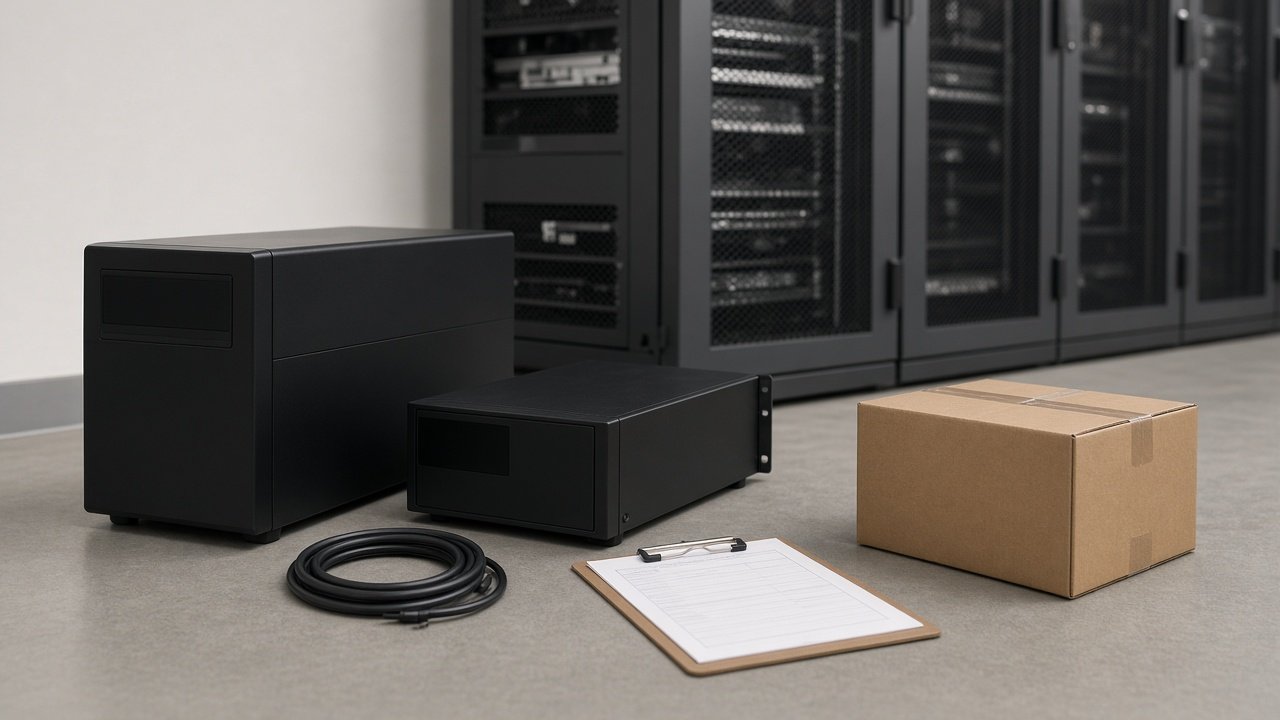
In short: When a Hong Kong office has to retire office UPS units — the tower, rack-mount or small battery-backup appliances that sit under a desk, in a comms closet or at the bottom of a server rack — the job is not finished by shutting down the servers they protect. The UPS is not the server, and many basic standby units hold little or no useful local user data. That does not mean they can be packed unexamined. A unit with a network management card may still hold local administrator accounts, SNMP community strings or other credentials, certificates, network settings, and a log of power events or of who logged into the card. A USB or serial port may still have a leftover configuration cable or a flash drive attached. The batteries are a separate issue: waste lead-acid batteries used in the uninterruptible power supply of computer servers and systems are classified by the Environmental Protection Department as chemical waste. Leased, landlord-provided or facility-supplied units often have to go back to the provider, sometimes still configured and still containing their packs. Returning the hardware, or sending owned units for recycling, does not by itself end the organisation’s duty to protect residual configuration data, or to handle waste lead-acid batteries under the applicable chemical-waste rules. Confirm the return rules in writing if the hardware is not yours, clear what you are allowed to clear, and keep a record of what was actually done.
This article is general information, not legal advice, and it is not a summary of any particular lease, landlord, serviced-office, colocation, data-centre or maintenance contract. Not every UPS stores useful data. Not every UPS uses lead-acid batteries. Platforms and models differ. Check the unit in front of you, and ask the vendor, landlord or facility operator to confirm the return rules in writing, before you reset, open, recycle, or withhold a unit that does not belong to you.
Why retiring a UPS is not the same as retiring the servers it protects
The servers, storage arrays and the disks inside them are usually where the organisation’s files, virtual machines and databases sit. An uninterruptible power supply is built to keep those machines, a network closet or a small office floor running through a short power interruption, and to allow a controlled shutdown if the outage lasts longer. In a Hong Kong office that is packing a comms room for a floor closure, an office move, or a hardware refresh, the UPS is easy to treat as mute infrastructure: heavy, dusty, and apparently empty of business files.
That impression is only half right. The protected servers usually hold the business data. The UPS usually does not hold a copy of those disks. What it may still hold is the configuration that let it talk to your network, sign in a technician, send alerts, or tell a server to shut down. In a small office that configuration may be only a few local settings and a beeper. In a comms closet or a small computer room it may sit on a removable or built-in network management card, sometimes still joined to a monitoring platform, an email relay, or an LDAP or Active Directory source used for administrator logins.
The physical pack is a third, quite different object. A tower UPS under a desk, a rack-mount UPS with an external battery cabinet, and a compact desktop battery backup look similar on an asset list if they are all labelled “UPS”. They are not the same to pack, and they are not the same for residual data or for battery handling. A basic desktop unit with no network port is not the same job as a rack unit whose network card still answers on your management VLAN.
This is also why a guide about retiring office UPS units is not a substitute for a server or drive-destruction plan. If the servers that were on the UPS are themselves being retired, they need their own inventory and their own handling. For a wider office move, see our page on office relocation computer disposal in Hong Kong. If the work is part of a computer-room or hall clearance, the surrounding rack hardware is covered in our data centre decommissioning guide, and neighbouring rack tools such as office KVM switches and console units should be examined on their own terms rather than lumped in as “power accessories”.
What may still be stored, attached, or recorded — and what often is not
Start with what is often not on the UPS. Many standalone office units do not contain a hard disk of business documents, customer lists or email. Treating every UPS as if it were a file server wastes time. Treating every UPS as if it were a dumb brick, with nothing worth recording, creates the opposite problem: a network card, a leftover USB stick, or a still-enrolled monitoring agent can leave with the carton.
What may still be present depends on the model in front of you. The following are common enough to look for; none of them is guaranteed on every unit:
- A network management card, or a built-in network port. This is the most likely place for residual configuration. It may hold local administrator accounts, remaining default passwords that were never changed, SNMP community strings or SNMPv3 credentials, SSH or HTTPS certificates, syslog or email settings, and the management IP address, VLAN or gateway it used on your network.
- Event, audit or access logs. These are usually records of power events, battery tests, temperature alerts, or logins to the card. They are not usually a copy of user files. They can still show host names, account names, mail-relay addresses or the internal layout of a comms closet.
- Shutdown-helper software or agents. Some offices install a vendor agent on the protected servers so the UPS can tell those machines to shut down. The agent lives on the server, not always on the UPS, but the UPS may still hold the credentials or network path it used to reach those hosts.
- USB, serial or configuration ports. A leftover flash drive, a serial cable with a connector still in the port, or a USB configuration stick can travel with a unit that looks empty. Remove and handle leftover media separately; do not assume a reset of the UPS erases a stick that was only plugged into it.
- An external battery cabinet, or loose replacement packs. These are often missed on the asset list because they sit beside the UPS rather than inside it. They matter for packing and, if they are waste lead-acid batteries, for chemical-waste handling. They usually do not hold user files.
- Paperwork taped to the chassis. Old run-books, IP lists, rack diagrams or passwords written on a label are still found on equipment that has been in a closet for years. Take them off and handle them as internal documents, not as packing filler.
If you find a hard disk, an SD card or another general-purpose store that does not belong in a typical UPS, stop and treat it as storage media, not as a power accessory. A certificate or report that covers a computer drive is not automatically the right document for a UPS network card, and the reverse is also true. Our page on the certificate of destruction in Hong Kong explains why the scope of any certificate should follow what was actually processed.
A supported reset of the UPS or network card is often important — and is not automatically sufficient
Where the model offers a supported factory reset, configuration clear, or card reset, and where the owner of the hardware allows it, that step is often worth doing before a return or a collection. On a networked UPS it can remove local accounts, certificates and remaining management settings that would otherwise leave the building with the appliance. On a basic unit with no network interface, there may be little or nothing for a reset to clear, and some models have no such function at all.
A reset is not automatically sufficient. It does not pull out a leftover USB drive. It does not unscrew an external battery cabinet. It does not, by itself, create a record of the asset numbers, the accounts that were present, or the fact that a reset was completed. It also does not end any duty under a contract if the lessor or landlord forbids the customer to reset the unit, or requires the provider to do that work itself.
Do not improvise a destructive reset in order to “be thorough”. Do not open a sealed network card, flash unsigned firmware, or short battery terminals to force a clear. Those steps can destroy evidence you later need, can make a leased return unacceptable, and can be unsafe. If the model’s supported reset is not available, or is not allowed, record that fact and take leftover media off the unit rather than inventing a method.
If a monitoring platform, a mail relay, or a directory source still lists the UPS, plan the unenrolment in your own systems as a separate task. A reset of the hardware does not always delete the object on the software side, and deleting the object on the software side does not always clear the card.
Lead-acid batteries are a separate legal issue from the data on the appliance
The configuration on a network card and the batteries in the chassis are easy to mix up on a packing list. They should not be mixed up in the handling plan. Residual accounts and logs are an information issue. Waste lead-acid batteries are a chemical-waste issue.
The Environmental Protection Department states that waste lead-acid batteries — used lead-acid batteries that need to be disposed of — are also used in the uninterruptible power supply of computer servers and systems, and in emergency lighting and alarm systems in buildings. The same official page says that waste lead-acid batteries contain hazardous substances such as lead and sulphuric acid, and that they are classified as chemical waste and controlled under the Waste Disposal Ordinance (Cap. 354) and the Waste Disposal (Chemical Waste) (General) Regulation. That is the current official source used for this section, last revised on 15 May 2025, and it is worth reading in full: Waste Lead-Acid Batteries (EPD).
The same page draws a practical distinction that offices often miss. If a service provider maintains the UPS, the user should ensure that the hired provider, or the subcontractor who actually carries out the maintenance, has registered with the Environmental Protection Department as a chemical waste producer, and the user should not remove the waste lead-acid batteries from the UPS themselves. If an organisation regularly maintains equipment in its own premises in a way that includes removing those batteries for disposal, or if it is already in possession of batteries that have been removed, it needs to register as a chemical waste producer. A producer must have the waste collected by a licensed chemical waste collector for proper transportation and disposal. Official chemical-waste control in Hong Kong, including the requirement that only licensed waste collectors should transport chemical waste, is summarised by the Department here: Chemical Waste Control (EPD).
For a chemical waste producer, the Department’s frequently asked questions on the same waste lead-acid battery page also state that records of the quantities produced, and the trip tickets for those consignments, should be kept for at least 12 months. That 12-month period is a chemical-waste record-keeping point on that official page. It is not a licence for HKRT, and it is not the Inland Revenue Department’s seven-year period for tax business records, which is a different rule and is discussed below.
Two limits matter. First, the official classification quoted above is about waste lead-acid batteries. Some newer UPS units use lithium-ion packs instead. This article does not treat those lithium packs as lead-acid batteries under that page, and it does not invent a different legal class for them. They still should not be thrown into ordinary office rubbish, punctured, or put in a mixed carton of general e-waste without being identified. If you are unsure what chemistry is in the unit, say so when you enquire and, if you can do so safely without opening a sealed pack, send a photograph of any visible battery label.
Second, Hong Kong Recycling Trading Company Limited holds a chemical waste producer registration. That is not a chemical-waste collection licence and it is not a disposal or treatment licence. ISO 9001, ISO 14001, ISO 27001 and ISO 45001 are management-system certifications; they are not waste-processor licences either. When we collect owned IT equipment that includes batteries, the batteries are a material that has to be identified and handled under the applicable rules, not a reason to claim a collector’s licence we do not hold.
Do not puncture, crush, drain or incinerate a pack in the office in order to “make it safe”. If a pack is swollen, leaking, corroded or appears damaged, say so at the time you enquire and send a photograph. This article does not promise that every damaged pack can be collected on the same visit, or that every chemistry can be accepted under the same arrangement.
Leased, landlord-provided, facility and company-owned units
Ownership changes what you are allowed to do, and it often changes who must handle the batteries. A UPS that the company bought can usually be reset, if the model allows it, and then collected with other owned IT equipment, subject to a written handling plan. A UPS that belongs to a lessor, a landlord, a serviced-office operator, or a colocation or data-centre facility is often on a maintenance contract. The provider may require the unit to be returned intact, may forbid a customer reset, or may already be the party that replaces batteries.
Confirm those rules in writing before anyone resets a card, removes a pack, or books a recycler. The Environmental Protection Department’s own frequently asked questions on waste lead-acid batteries also discuss computer appliances, including UPS units, and say that you can contact a recycler who has already registered as a chemical waste producer, and that you may request a copy of the relevant trip ticket if necessary. That official suggestion does not override a lease or a landlord contract, and it does not mean every recycler is suitable for residual configuration data on a network card.
If the units are not yours, HKRT can help you frame the questions to ask the provider: who may reset the network card, who handles the batteries, what records you will receive, and whether a third party is allowed to collect the hardware at all. We cannot override that contract, and we cannot log into a third-party lessor, landlord or facility-management system on your behalf unless that access is separately and expressly arranged — this article does not offer that service.
For overseas headquarters that need a Hong Kong office or computer room cleared as part of a wider IT asset programme, our ITAD services in Hong Kong page outlines how collection, inventory and reporting are usually scoped. This UPS guide remains limited to the appliance, its residual configuration, and the battery issue described above.
Personal data, retention and tax records are not the same issue
Offices sometimes keep a retired UPS “just in case it is a record”. That caution is understandable, and it is also how closets fill up with equipment that no longer has a purpose. Residual logs on a network card are not automatically personal data, and they are not automatically tax records. They also should not be deleted if a legal hold or an incident review still needs them. The right step is to decide, in writing, what the logs actually are.
Hong Kong’s Personal Data (Privacy) Ordinance (PDPO) is concerned with personal data and with taking practicable steps to protect it. Purpose and retention for personal data are not the same thing as a fixed number of years that applies to every log file. This article does not quote the official PCPD ordinance-at-a-glance or erasure materials, because a live fetch of those pages from the publishing environment on 25 November 2026 returned only a short bot-protection page, not the document body. The official URLs remain PCPD: the Ordinance at a glance and the PCPD erasure booklet at erasure_e.pdf. For a longer discussion of retention in an IT-disposal setting, see our article on PDPO data retention and IT disposal in Hong Kong. That article, and this one, are general information, not legal advice.
Tax record-keeping is a different rule. Section 51C of the Inland Revenue Ordinance, as explained on the Inland Revenue Department’s English record-keeping page, requires every person carrying on a trade, profession or business in Hong Kong to keep sufficient records in the English or Chinese language of his income and expenditure to enable the assessable profits to be readily ascertained, and says that such records shall be retained for a period of not less than 7 years. The records prescribed on that page include books of accounts, vouchers, bank statements, invoices, receipts, records of assets and liabilities, and day-to-day records of money received and expended, among other items listed there: IRD: Record Keeping. That seven-year period applies to those business records. It does not automatically turn a UPS event log, a leftover administrator account, a management IP address, or a battery trip ticket into a tax record, and it is not the same as the Environmental Protection Department’s at-least-12-month period for chemical-waste production records and trip tickets.
A practical order of work
The useful order of work is usually planning and inventory first, then configuration and media, then packing, with batteries identified rather than improvised. A typical sequence looks like this, and should be adjusted once you know whether the units are owned or must be returned:
- Identify ownership and the maintenance contract. Write down whether each unit is owned, leased, or landlord- or facility-provided, and who currently replaces its batteries.
- Inventory complete units and cabinets, not only the chassis you can see. Count tower units, rack units, external battery cabinets, and any already-removed packs. Record visible asset or serial numbers and the room or rack location.
- Take leftover media and paper off the unit. Remove USB drives, leftover serial or configuration cables that are not part of the return, and any run-books or password labels stuck to the chassis.
- Decide, in writing, what to do with logs and accounts. If a legal hold or an incident review needs the logs, export or preserve them first. If they are not needed, and if a supported reset is allowed, plan that reset next.
- Perform only a supported reset, and only if it is allowed. Reset the UPS or the network card where the model supports it and the owner permits it. Record whether it was completed, attempted, not allowed or not applicable.
- Unenrol the unit in your own monitoring or directory systems. Do this as a separate step from the hardware reset.
- Do not remove waste lead-acid batteries yourself if a maintenance provider is responsible for the UPS. Follow the official distinction set out by the Environmental Protection Department, summarised above. Identify damaged or swollen packs and photograph them if it is safe to do so, rather than opening or puncturing them.
- Pack for the return or collection you have actually agreed. Keep loose packs from being treated as ordinary office clutter. Keep any trip tickets or collection receipts with the project file.
If the UPS is leaving as part of a wider equipment clear-out, it can travel with other owned IT once the points above are settled. It should not disappear into a mixed “miscellaneous power” carton that no longer shows which unit had a network card, or which cabinet still contains packs. For general computer recycling of owned office equipment, see computer recycling in Hong Kong.
What to record before the hardware leaves
A short written record is more useful than a memory of a busy packing day. It does not need to be a formal legal instrument. It should be clear enough that a later audit can see what was in the room and what was actually done.
At a minimum, consider recording:
- Make and model if known, and any visible asset tag or serial number.
- Location (floor, room, rack) and a count of complete UPS units, external battery cabinets, and already-removed packs.
- Ownership: owned, leased, landlord-provided, or facility-provided, and the name of the maintenance or return provider if you have it.
- Whether a network management card or network port was present, and whether leftover media, a configuration cable, or paper run-books were found and what was done with them.
- Whether a supported reset was completed, attempted, not allowed, or not applicable, and who did it.
- Any obvious damage, swelling or leakage on a pack, and whether a photograph was taken.
- Who handed the units over, the collection or return date, and any vendor or collection receipt.
- Any chemical-waste trip ticket you receive, kept with the project file.
A collection receipt for the hardware alone may not show what happened to local accounts, logs or batteries. If you later need to show that a card was reset, or that waste lead-acid batteries were passed to a licensed collector, the receipt has to say so, or a separate record has to sit beside it.
How HKRT can help — and what we will not claim
Hong Kong Recycling Trading Company Limited (HKRT) can help a Hong Kong office plan the collection of owned office UPS units, external battery cabinets and related IT equipment, and can discuss a practical handling plan once we have a model list, a rough count, the location, and a note on whether batteries are still inside the units. If the units are leased, landlord-provided or supplied by a colocation or data-centre operator, we can help you frame the questions to ask the provider. We cannot override that contract, and we cannot log into a third-party lessor, landlord or facility-management system on your behalf unless that access is separately and expressly arranged — this article does not offer that service.
We will not, in this article or in a casual quote, claim any of the following:
- A price, a same-day promise, or a guaranteed turnaround for every UPS or battery-backup job.
- That every unit will be processed to a stated shred size, or that a hard-drive process will be applied to every UPS or network management card.
- That a factory reset, or any single method, is sufficient for every model, or that every UPS stores personal data.
- That we will issue, for every UPS, the same style of report that may be issued when licensed erasure software is used on a computer drive.
- That HKRT is an official partner, official certified centre, or official certification body for any erasure-software vendor. Where licensed Blancco software is used, it is because HKRT holds a software licence; that is not the same as an official partner or certified-centre appointment, and a UPS or a network management card is often not a suitable candidate for that method.
- That ISO 9001, ISO 14001, ISO 27001 or ISO 45001 is a waste-processor or e-waste disposal licence. They are management-system certifications. HKRT also holds a chemical waste producer registration; that is not a waste-treatment or collection licence.
- That every office UPS is, in every case, regulated electrical equipment under Hong Kong WEEE rules. This article does not classify the hardware that way.
- That HKRT is a licensed chemical waste collector, or that every battery chemistry or every damaged pack will be accepted on the same visit.
- Legal advice on your lease, a landlord, serviced-office, colocation or data-centre contract, the PDPO, a chemical-waste registration decision, a tax record-keeping decision, or a legal hold.
If you already have a model list or a rough count, the Hong Kong location, a note on whether batteries are still inside, the collection date if you have one, and a note on whether the units are owned, leased, or landlord- or facility-provided — or a note that you still need help framing those questions — send that and we will reply with a plan and a quote for work in Hong Kong.
Retiring office UPS units in a Hong Kong office?
Send us the model list or a rough count and location, whether the units are owned, leased or landlord- or facility-provided, whether batteries are still inside, and the collection date if you have it, and we will reply with a plan and quote for work in Hong Kong.
Hong Kong Recycling Trading Company Limited (HKRT)
Contact us 24/7 on +852 3619 4638.
Frequently asked questions
Do office UPS units usually store personal data?
Often they do not hold a copy of the files on the servers they protect. Many standalone office UPS units keep little more than firmware, a small event log and local settings. A unit with a network management card, a networked PDU-style companion, or a connected shutdown agent may still hold local administrator accounts, SNMP community strings or credentials, certificates, network settings, and logs of power events or of who logged into the card. A USB or serial port may still have a leftover configuration cable or a flash drive attached. Check the model in front of you rather than assuming the UPS is empty, or that it holds a copy of every protected server disk.
Is a factory reset needed before we return or recycle a UPS in Hong Kong?
Only if the model offers a supported reset and the owner of the hardware allows it. A reset can be an important step for a network management card or a networked UPS, because local accounts, community strings, certificates and logs may otherwise stay on the card. It is not automatically required for every basic standby unit with no network interface, and it is not automatically sufficient. A reset does not remove a leftover USB drive, and it does not replace a written record of what was actually done. If the unit is leased, landlord-provided or supplied by a facility operator, confirm in writing whether a reset is allowed, required, or must be left to the provider.
Are the batteries inside an office UPS chemical waste in Hong Kong?
Waste lead-acid batteries are classified as chemical waste and are controlled under the Waste Disposal Ordinance (Cap. 354) and the Waste Disposal (Chemical Waste) (General) Regulation. The Environmental Protection Department’s own page on waste lead-acid batteries expressly includes batteries used in the uninterruptible power supply of computer servers and systems. That classification applies to waste lead-acid batteries. Some newer UPS units use lithium-ion packs; this article does not treat those as lead-acid batteries under that page. Lithium packs still should not be thrown into ordinary office rubbish. This is general information, not a classification of the pack inside your particular unit, and not legal advice.
Can we take the batteries out ourselves before collection?
Not as a default step, and not if a maintenance provider is already responsible for the UPS. The Environmental Protection Department’s guidance for waste lead-acid batteries says that, where a service provider maintains the UPS, the user should ensure that the provider or its subcontractor is registered as a chemical waste producer, and that the user should not remove the waste lead-acid batteries from the UPS themselves. If waste lead-acid batteries have already been removed, or if your organisation itself removes them for disposal, the same official page says the party in possession needs to register as a chemical waste producer and to have the waste collected by a licensed chemical waste collector. Do not puncture, drain, incinerate or throw damaged packs into general waste. If a pack is swollen, leaking or appears damaged, say so when you enquire and send a photograph; this article does not promise that every damaged pack can be collected immediately.
Can we recycle a leased or landlord-provided UPS ourselves?
Not unless the contract and the owner allow it. A leased, landlord-provided, serviced-office or colocation UPS is often part of a return, maintenance or facilities package. Sending it to a recycler on your own can breach that arrangement and can still leave configuration or battery-handling questions unresolved. Confirm the return rules in writing, including who may reset the network card, who handles the batteries, and what records you will receive. HKRT can help you frame those questions. We cannot override the contract, and we cannot log into a third-party lessor or landlord system on your behalf unless that access is separately and expressly arranged.
What should we record before the UPS units leave the Hong Kong office?
Record the make and model if known, asset or serial numbers if they are visible, the location, a count of complete units, external battery cabinets and loose packs, and whether the units are owned, leased, or landlord- or facility-provided. Note whether a network management card was present, whether leftover media or a configuration cable was found and what was done with those items, and whether a supported reset was completed, attempted, not allowed or not applicable. Keep any vendor or collection receipt. A receipt for the hardware alone may not show what happened to local accounts, logs or batteries. If waste lead-acid batteries are involved and trip tickets are issued, the official Environmental Protection Department guidance for chemical waste producers is to keep records of quantities produced and the trip tickets for at least 12 months. That 12-month period is not the same as the Inland Revenue Department’s seven-year period for tax business records.