
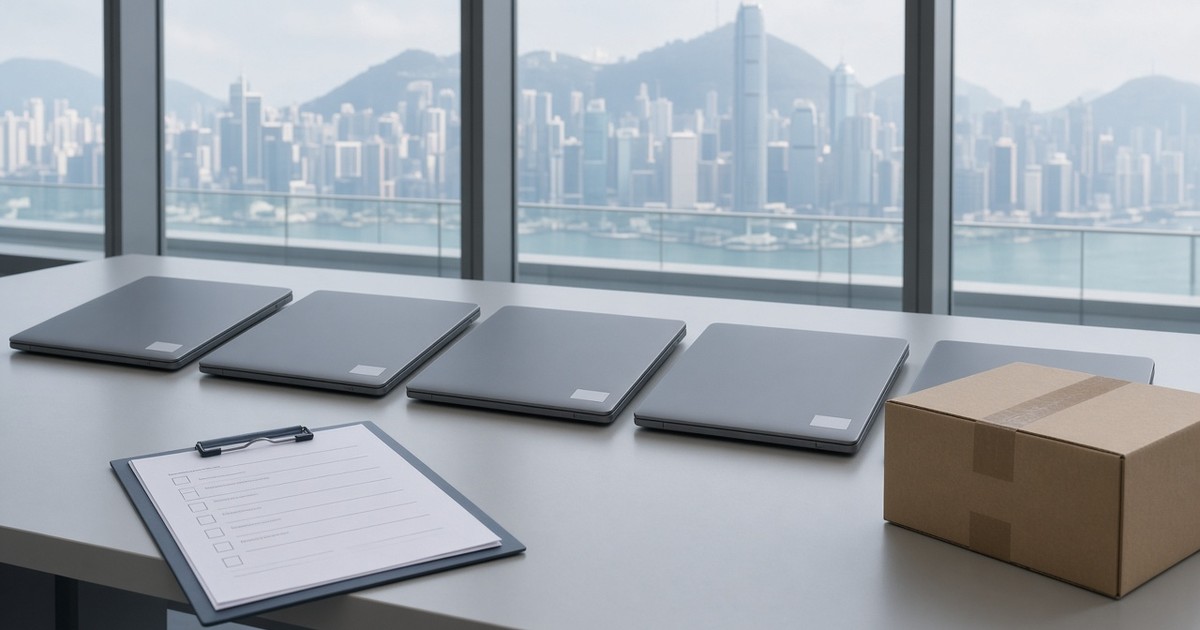
In short: When a Hong Kong office has to return leased laptops, PCs or servers to a lessor — Dell Financial, HP, Lenovo Financial Services, or a local leasing company — the machines often have to go back complete and in working order. That is a different problem from disposing of equipment the company owns. The data on the drives is still your organisation’s to protect until it has been properly dealt with. Returning the device does not, by itself, end that duty. Confirm the lessor’s rules in writing before anyone removes or replaces a drive.
This article is general information, not legal advice, and it is not a summary of any particular lease. Contracts and return programmes differ. Check the schedule in front of you, and ask the lessor to confirm the storage rules in writing, before you change the hardware.
Why a lease return is different from disposing of owned IT
If you own the laptop, you can usually decide whether the drive is erased and the machine reused, or whether the storage is retired with the chassis. A lease return is tighter than that.
You typically do not own the chassis, and often you do not own the original drive either. Many return conditions expect the unit to be complete, functional, and accompanied by the accessories listed in the contract. Removing a drive, substituting a blank one, or returning a machine that will not boot can lead to missing-parts or repair charges — but only the lessor can tell you what your contract actually allows.
At the same time, the device may still hold staff records, customer information, mailboxes, cached files or credentials. Handing the machine to a courier or a lessor’s collection team does not wipe that data. It also does not transfer your organisation’s responsibility for it.
This is not the same decision as shipping owned, retired laptops back to headquarters. Nor is it a general briefing on how an overseas headquarters arranges ITAD in Hong Kong — that page only mentions lease returns in passing. The question here is narrower: what should happen to the storage before the lessor collects the machines from the Hong Kong office.
Confirm the lessor’s rules in writing before you touch the hardware
Do not assume that every lessor will accept drive removal, a particular erasure method, or a “factory reset”. Ask for written confirmation, ideally tied to the contract or asset schedule, on at least the following:
- Must the original drive be returned in the original chassis?
- If erasure is allowed with the drive left in place, which method or evidence (if any) will the lessor accept, and which will it reject?
- If your security policy requires the original drive to be retained or destroyed, may you install a replacement, and who supplies and pays for it?
- What accessories must go back with each unit — chargers, docks, styluses, dongles, spare batteries, or documentation?
- Must firmware passwords, device-management enrolment and activation locks be removed so the lessor can process the machine?
- Where and when will collection happen, and who signs for the assets?
Dell Financial, HP, Lenovo Financial Services and local lessors all run their own return programmes, and those programmes can differ by country, contract and year. A marketing page or a colleague’s experience on another schedule is not a substitute for written confirmation on these assets. If the answer is unclear, do not remove hardware while you wait.
Typical options for the drives — and the trade-offs
Once the lessor’s position is in writing, most Hong Kong offices are choosing among a small set of options. None of them is automatically right for every contract.
1. Software erasure with a report, leaving the device intact
If the lessor requires a complete, working machine, verified software erasure of the installed storage is often the option that conflicts least with the return condition. The chassis stays together, the original drive stays in place, and you keep a report that can be matched to the device.
HKRT can carry out this kind of work in Hong Kong with licensed Blancco software and issue a PDF report for each device. We use the software ourselves; we are not an official Blancco partner or certified centre, and we do not act on Blancco’s behalf. For how a report is typically used, see data erasure with licensed Blancco software.
A pass result on a working drive is not the same thing as a promise that every lessor will accept that method. Tell us the standard your policy names, and what the lessor has confirmed, before the work is planned. Drives that fail verification should not be treated as clean.
2. Drive removal or replacement — only if the contract allows it
Some security policies say the original media must never leave the company’s control. That can be a good policy for owned equipment. On a leased laptop it is only workable if the lessor has agreed, in writing, that you may remove the original drive and, if required, fit a replacement so the unit can still be returned in working order.
Two further limits matter in practice. First, not every leased laptop has a user-removable drive: many current models use soldered or otherwise non-serviceable flash storage. Second, even where the drive can be removed, swapping it without approval can still breach the return condition. If removal is not permitted, plan for in-place erasure or another method the lessor has accepted — do not force the hardware apart.
3. Relying on a lessor’s own sanitisation programme
Some lessors offer their own wiping or asset-recovery service after collection. That may be useful, but it is still your organisation’s data until you are satisfied that the arrangement meets your policy. Read what the programme actually covers, in which locations, and what evidence you will receive. Do not treat “the lessor will handle it” as an erasure you have already performed.
A factory reset, a quick format, or deleting the user profile is not something this article can treat as sufficient. The Privacy Commissioner for Personal Data (PCPD) has stated that simple file deletion or reformatting of hard drives and USB memory devices is not a reliable method of deletion, because the data can often be recovered with commonly available software. Dedicated erasure software, or another method that matches the media, is the approach the guidance points to.
Physical destruction of the original drive, or degaussing, will usually make a working return impossible unless the lessor has already agreed to a replacement. Degaussing also applies to magnetic hard disk drives, not to typical SSDs or other flash storage. Do not choose a destructive method just because it is familiar, and do not assume it is allowed.
What to record: chassis serial versus drive serial
A lessor’s collection note often identifies the laptop by chassis serial or asset tag. Your security and privacy file needs more than that if the question later is “what happened to the storage?”
For each device, record at least:
- Asset tag and chassis serial number, as shown on the machine and on the lease schedule.
- Drive type (HDD, SSD or other) and the drive serial, where it can be read. If the storage is soldered or the label is unreadable, say so rather than inventing a number.
- Whether the original drive was left in place, replaced with written approval, or could not be removed.
- The erasure or handling method actually used, the date, and the report or certificate reference.
- Who handed the unit over at collection, and any discrepancy against the lessor’s list.
If a replacement drive was authorised, keep the written approval together with both serials — the drive that left your control and the drive that went back in the chassis. For the wider evidence trail that auditors often ask for, see hard drive chain of custody in Hong Kong.
Unbind accounts, management tools and accessories before collection
A wiped or locked device that the lessor cannot enrol, repair or remarket can still fail a return condition. Before collection, your IT team should, in line with your own procedures and the vendor’s current documentation:
- Back up anything you are still required to keep, then remove company and personal accounts from the device.
- Unenrol the device from mobile-device management, Autopilot or equivalent enrolment, and Apple Business or similar management tools, so it is not tied to your tenant after it leaves.
- Clear firmware or BIOS passwords and activation or “find my device” locks that you control, where the lessor will need the machine to function.
- Gather the accessories the contract says must be returned, and note anything missing before the collection team arrives.
If counsel has placed a legal hold on a device or on data it may contain, do not wipe, destroy or return that unit until the hold is lifted or you have written instructions. That is a practical caution, not legal advice.
Returning the laptop does not end your data-protection duty
Hong Kong’s Personal Data (Privacy) Ordinance (PDPO, Cap. 486) requires a data user to take all practicable steps to protect personal data against unauthorised or accidental access, processing, erasure, loss or use (Data Protection Principle 4(1)). The PCPD has noted that this duty also applies to the handling of obsolete information technology storage equipment for disposal or recycling. The same Ordinance requires all practicable steps to ensure that personal data is not kept longer than necessary for its purpose, including any directly related purpose (DPP2(2)), and, when the data is no longer required, all practicable steps to erase it, unless a legal or public-interest exception applies (section 26).
Those purpose-based rules are not a blanket retention period for every file on a laptop. They are also not the same as specific statutory record-keeping duties. The Inland Revenue Department states that records required under section 51C of the Inland Revenue Ordinance shall be retained for a period of not less than seven years. Decide what must be kept — and where it will be kept — before any drive is erased. For the distinction between PDPO retention and tax or company record-keeping, see PDPO data retention and IT disposal in Hong Kong.
Official sources: PCPD, Guidance on Personal Data Erasure and Anonymisation (April 2014 revision); IRD, Record Keeping.
A short distinction: leased laptops are not leased photocopiers
This guide is about leased laptops, PCs and servers being returned to a lessor. End-of-lease multifunction printers and copiers are a different job: the storage is usually inside a different kind of machine, and the return is often handled with the equipment supplier rather than an IT lessor. Do not assume the same removal or erasure steps apply. If that is the equipment in front of you, treat it as its own project.
What HKRT can and cannot promise
Hong Kong Recycling Trading Company Limited (HKRT) can help a Hong Kong office prepare leased devices for return, once you have the lessor’s written position and your own retention decisions. In a typical job that may include:
- Logging chassis and, where readable, drive serials.
- Verified software erasure with licensed Blancco software and a PDF report for each device, at your premises or at our facility, if that is what you have agreed with the lessor.
- A clear record of anything that could not be erased, could not be opened, or did not match the list.
We do not promise, and this article does not claim:
- That every lessor will accept drive removal, a replacement drive, or a particular erasure method.
- That every leased laptop has a removable drive.
- A factory reset, a price, a turnaround time, or same-day collection.
- That HKRT is an official Blancco partner or certified centre.
- That ISO 9001, ISO 14001, ISO 27001 or ISO 45001 is a waste-processor or e-waste disposal licence. They are management-system certifications.
- Legal advice on your lease, the PDPO, or a legal hold.
If you already have a device list, the Hong Kong location, the collection date, and the lessor’s written storage rules — or a note that you still need help framing those questions — send that and we will reply with a plan and a quote for work in Hong Kong.
Preparing leased laptops in Hong Kong for a lessor collection?
Send us the asset list or a rough count and location, the collection date if you have it, and any written lessor rules on the drives, and we will reply with a plan and quote for work in Hong Kong.
Hong Kong Recycling Trading Company Limited (HKRT)
Mon–Sat 9:00–18:00 (Hong Kong time). 24-hour emergency enquiry.
Frequently asked questions
Can we remove the drives before the lessor collects a leased laptop in Hong Kong?
Only if the lease or the lessor has allowed it in writing. Many return conditions expect the original drive to remain in a complete, working machine. Not every laptop has a removable drive. Confirm first; do not remove or replace hardware on an assumption.
Is a factory reset enough before a lease return?
Do not treat a factory reset, a quick format, or deleting a user profile as sufficient. The PCPD has said that simple file deletion or reformatting of hard drives and USB memory devices is not a reliable method of deletion. Use a method that matches the media and your policy, and keep evidence. Check what the lessor will accept.
Does returning a leased laptop end our duty to protect personal data stored on it?
No. Returning the device to the lessor does not, by itself, end the organisation’s duty to protect personal data still stored on it. Under the PDPO, data users must take all practicable steps to protect personal data and, when it is no longer required for its purpose, to erase it, subject to legal exceptions. See our PDPO retention guide and the PCPD erasure guidance.
What should we record if the device is returned complete?
Record the chassis serial or asset tag and, where it can be read, the drive serial; note if the storage is soldered or unreadable; keep the erasure report or other handling reference; and note who handed the unit over at collection. A lessor receipt for the chassis alone may not show what happened to the storage.
Will every lessor accept software erasure or a replacement drive?
No. Contracts and return programmes differ by lessor, country and schedule. Some expect the original drive to be returned in a working device; others may allow removal or offer their own sanitisation programme. Confirm the rules for your assets in writing before work starts. HKRT cannot guarantee a lessor’s acceptance.
How is this different from shipping owned laptops back to headquarters?
A lease return is a return of someone else’s equipment, often under a complete-and-working condition, to the lessor that owns it. Shipping owned, retired laptops to headquarters is a different decision and can raise export-control questions if the goods are waste. See our guide to shipping retired laptops back to HQ or handling them in Hong Kong.